
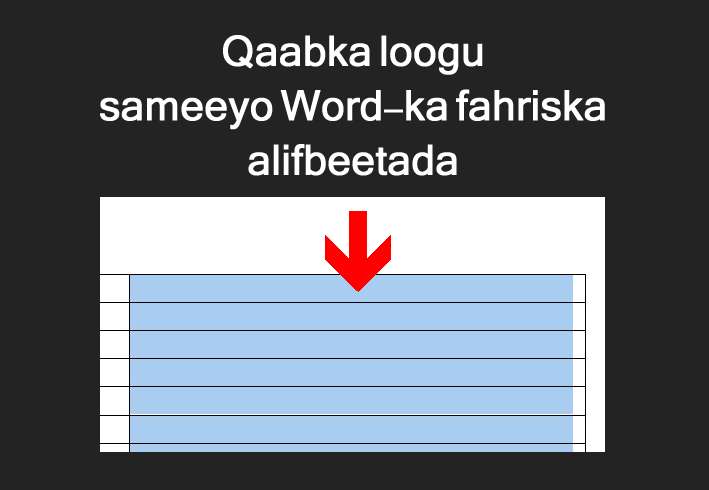
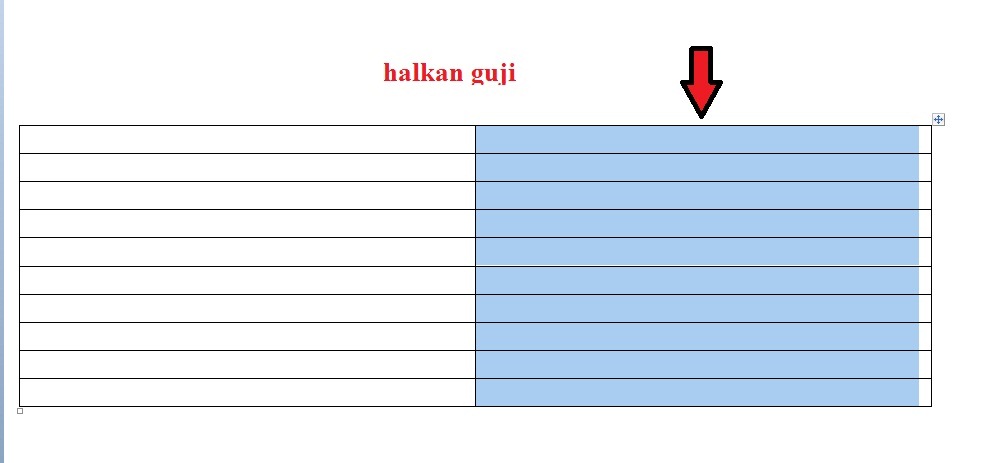
Marka hore waxaad samaynaysaa jadwal markaad wax ku qorto ayaad sellect all ku sameynaysaa (waad xaddidaysaa) adoo ku gujinaya mouska leenka jadwalka ugu korreeya sida uu yahay sawirkan:
marka aad sameyso waxaad aadaysaa meesha laga sameeyo AZ sida uu yahay sawirkan:
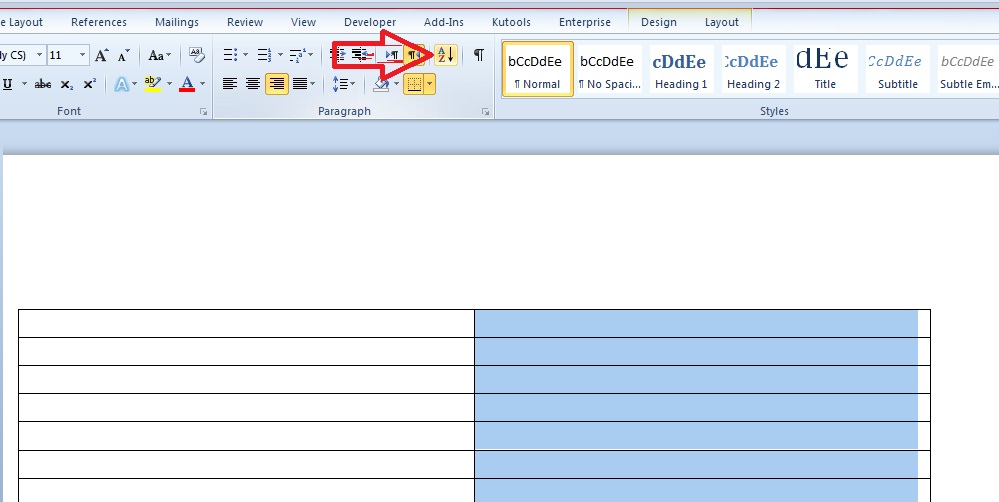
Markaas ayaad meesha gujinaysaa wixii ku qornaa jadwalka wuxuu isu baddalayaa AZ.
jadwalka waa inuu yahay mid is leh labo jadwalka waa inaysan ahaanin mid kaste si gaar ayaa loo sameeyaa.
Fiiro gaar: saf kaste jadwalka ka mid ah si gaar ayaa loo xaddidaa safka aad rabto inuu AZ noqdo ayaad xaddidaysaa.
How to make an alphabetical list in Word
First you create a table, when you write something, you select all (you limit it) by clicking the mouse on the top line of the table as in this image:
When you do it, you go to the place where you create AZ as in this image:
Then you click on the place, what was written in the table will change to AZ.
The table must be the same as two tables, each one must be created separately.
Note: each row in the table is limited separately, you limit the row you want to be AZ.